How to print a worksheet for a game
For teachers · 2 minutes · Free account
On the game's page press Print worksheet. Choose before or after the game, a level (Support, Core or Challenge) and A4 or Letter, then press Print. The answer key prints on its own page.
Step by step
Open the game page and sign in
The Print a worksheet panel is beside the game, for signed-in teachers. It has every answer in its key, so it never shows to guests.
Press Print worksheet
A preview of the sheet opens next to its choices.
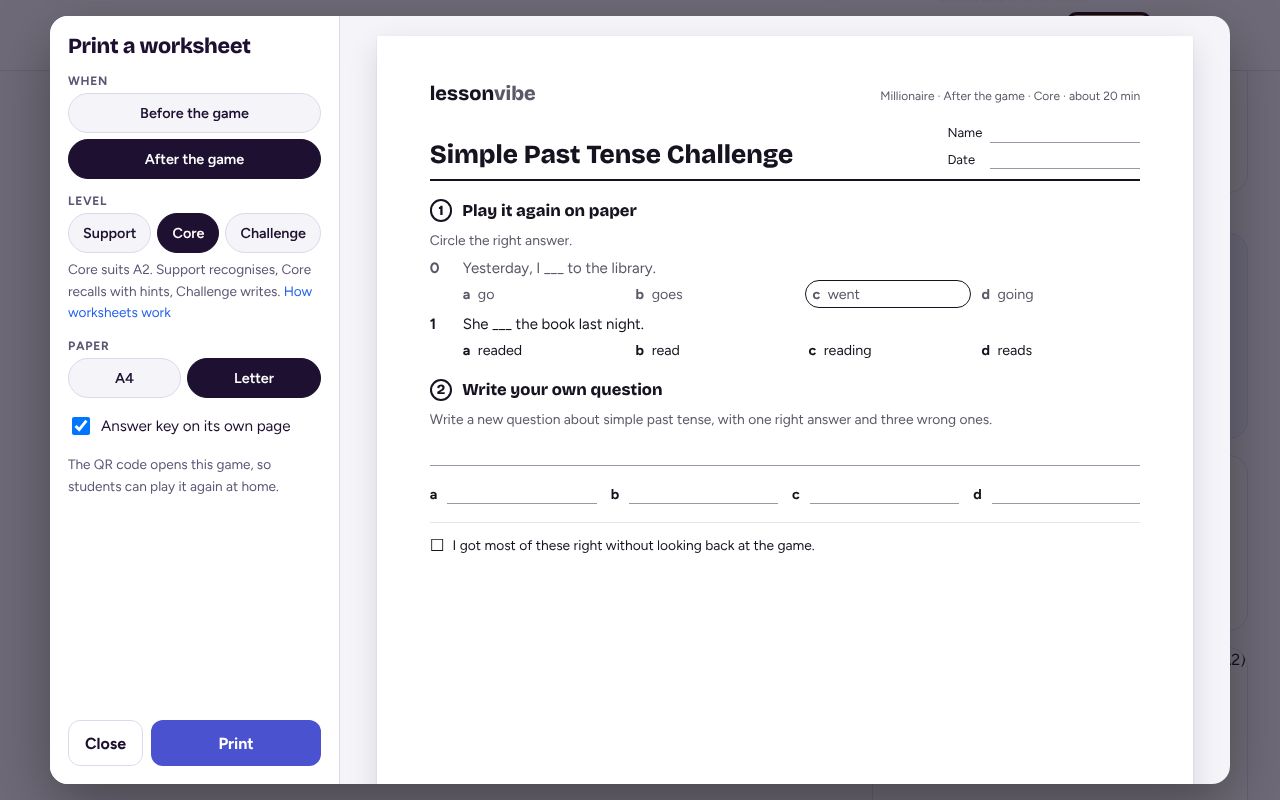
Choose before or after the game
Before the game gets students ready for the words. After the game checks what stuck.
Pick a level
Support recognises, Core recalls with hints, Challenge writes. The one that suits the game's level is picked for you. Change it for a stronger or weaker group.
Pick your paper and print
A4 or Letter, and whether the answer key prints on its own page. Press Print.
The QR code on the sheet
Every sheet has a QR code so students can play again at home. On Word Search, Spin the Wheel and Crossword sheets it opens Rocket Run home practice with the sheet's words: pick the class you're printing for, then press Print for that class.
Games with a worksheet
Millionaire, Drop Zone, Water Guns, Bombs & Angels, Escape Room, Story Adventure, Battleships, WordVibe, Word Search, Spin the Wheel, Crossword, Penalty Shootout, Basketball Shootout, Live Quiz, Classic Race, Four in a Row and Survey Game. More are on the way.
If it doesn't work
It says the sheet runs onto a second page
Try the other level or the other paper size. Long games make longer sheets.
It says there aren't enough questions
Try the other sheet (before or after the game). Some games need a few more questions for one of them.
I can't see the Print worksheet button
Sign in. If you are signed in, this game type doesn't have a worksheet yet.
Related
- How to replay the questions your class missed
- How to host a game on the board
- Quick start: your first game in five minutes
Still stuck? Email hello@lessonvibe.com and a real person will write back.