How to make a game by hand (no AI)
For teachers · 10 minutes · Always free
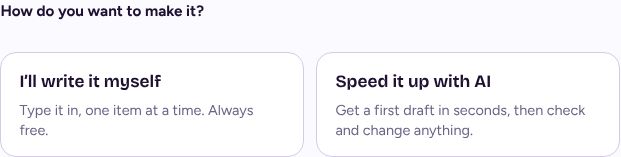
Press Create, go through the four questions, then choose I'll write it myself. Type your questions or words, press Publish, and your game gets its own link and QR code. As many as you like, always free.
Step by step
Start the same way
Press Create, pick your goal, who's playing, your topic and the game.
Paste a word list at the topic step and word games start with those words filled in.
Choose I'll write it myself
Under How do you want to make it? pick I'll write it myself, then Start writing.
Type your questions or words
The editor sits under the game, so you see each change as you make it. Add, change or remove questions, answers and pictures.
Publish it
Press Publish. Your game gets its own page, a link, a short class code and a QR code, ready for the board.
Quick games share one list
Word Search, Spin the Wheel and Crossword are built from one word list. Make the list once and switch between the three in one click while you build.
Other teachers can find your game
Published games go into the library, so a teacher searching for your topic can play it too. Your name never shows on a public page. Pro teachers can keep a game private instead.
If it doesn't work
I can't pick I'll write it myself
A few games, such as Escape Room and Story Adventure, can only be drafted with AI for now. You can still change every word of the draft afterwards.
Related
Still stuck? Email hello@lessonvibe.com and a real person will write back.